Here’s something that’ll blow your mind: the way fintech companies decide whether to lend you money is getting a serious upgrade. And I’m not talking about minor tweaks to old formulas — I’m talking about reinforcement learning algorithms that literally learn from every lending decision they make.
Best Computer Vision Tools and Software for Developers (2026 Comparison)
on
Get link
Facebook
X
Pinterest
Email
Other Apps
Look, I’ve wasted enough time picking the “perfect” tool when I should’ve just been building stuff. You’re probably doing the same thing right now — stuck in analysis paralysis, reading your fifteenth comparison article. Let me cut through the noise and tell you what actually works in 2026.
I’ve spent years knee-deep in computer vision projects, from hobby experiments that crashed my laptop to production systems processing millions of images. Here’s what I’ve learned: the best tool is the one you’ll actually use. But some tools make your life way easier than others.
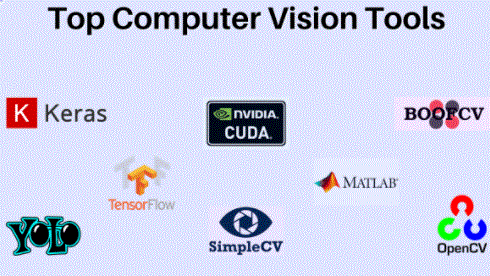
Computer Vision Tools and Software for Developers
Why Tool Choice Actually Matters
Picking the wrong framework is like showing up to a sword fight with a spoon. Sure, you might eventually win, but why make it harder on yourself?
The right tool can mean the difference between deploying your model in a week versus three months. It affects everything — development speed, performance, debugging headaches, and whether you can actually scale when things get real.
In 2026, we’re spoiled for choice. The ecosystem has matured like fine wine, and honestly, most modern tools are pretty solid. But “pretty solid” doesn’t help you decide what to install right now.
OpenCV: The Old Reliable
OpenCV is that friend who’s been around forever and still shows up when you need them. First released in 2000 (yeah, it’s old enough to rent a car), it’s still the go-to for traditional computer vision tasks.
What OpenCV Does Best
Image processing is OpenCV’s bread and butter. Need to resize images? Done. Apply filters? Easy. Detect edges, corners, or faces? OpenCV handles it without breaking a sweat.
I use OpenCV for basically all my preprocessing work. Before images even touch my neural network, they go through OpenCV for:
Resizing and normalization
Color space conversions (RGB to grayscale, HSV, etc.)
Image enhancement and filtering
Basic object detection with Haar Cascades
Real-time performance is where OpenCV shines. It’s written in C++ with Python bindings, so it’s fast. Like, really fast. Perfect for video processing or live camera feeds.
The Reality Check
OpenCV isn’t perfect for deep learning. Yes, it has a DNN module now, but let’s be honest — you’re better off using PyTorch or TensorFlow for that. OpenCV is your preprocessing powerhouse, not your model training framework.
The documentation can be hit or miss. Sometimes you find exactly what you need, other times you’re deciphering ancient forum posts from 2014. Welcome to open source :)
When to use OpenCV: Image preprocessing, real-time video processing, traditional CV algorithms, rapid prototyping.
TensorFlow/Keras: The Industry Standard
Google’s TensorFlow with Keras on top is basically the safe choice. Like buying IBM in the 80s — nobody gets fired for choosing TensorFlow.
Why Developers Love It
The ecosystem is massive. TensorFlow has tools for everything — TensorFlow Lite for mobile, TensorFlow.js for browsers, TensorFlow Serving for production deployment. Need to run your model on a Raspberry Pi? TensorFlow Lite. Want it in the cloud? TensorFlow Extended (TFX) handles the whole pipeline.
Keras makes building models stupidly simple. You can stack layers like LEGO blocks:
python
model = Sequential([
    Conv2D(32, (3,3), activation='relu'),
    MaxPooling2D(),
    Dense(10, activation='softmax')
])
Three lines and you’ve got a working neural network. That’s powerful.
The pre-trained models available through TensorFlow Hub are gold. Classification, detection, segmentation — someone’s already trained it on ImageNet, and you can use it immediately.
The Downsides
TensorFlow has a learning curve. The static computation graph approach (though TensorFlow 2.x improved this with eager execution) can be confusing when you’re starting out.
Debugging can be painful. When something breaks, the error messages sometimes feel like they’re written in ancient Sumerian. You’ll spend time on Stack Overflow, trust me.
Performance tuning requires understanding a bunch of TensorFlow-specific concepts. It’s powerful but complex.
When to use TensorFlow: Production deployments, mobile/edge devices, when you need the full ecosystem, teams that prioritize stability.
PyTorch: The Researcher’s Darling
PyTorch started as the cool kid in academia and has basically taken over. Facebook (sorry, Meta) built it, and it’s now my personal favorite — though I’m biased because I use it daily.
What Makes PyTorch Special
The code feels natural. If you know Python, PyTorch just makes sense. The dynamic computation graphs mean you can use regular Python control flow — if statements, loops, whatever you need.
Debugging is a dream compared to TensorFlow. You can drop in a breakpoint and inspect tensors with normal Python debugging tools. Ever tried debugging a TensorFlow graph? Yeah, PyTorch is way better for that.
The community is fantastic, especially if you’re doing research or want to understand cutting-edge stuff. Most new papers release PyTorch implementations first. Want to try that new architecture from last month’s hot paper? Probably already has a PyTorch implementation on GitHub.
The Trade-offs
Production deployment used to be PyTorch’s weakness, but TorchServe and ONNX (Open Neural Network Exchange) have mostly solved that. You can convert PyTorch models to other formats pretty easily now.
The mobile story isn’t as mature as TensorFlow’s. PyTorch Mobile exists and works, but TensorFlow Lite has more resources and community support for edge deployment.
When to use PyTorch: Research projects, rapid experimentation, when you value debugging and development speed, learning state-of-the-art techniques.
YOLO (You Only Look Once): Object Detection King
YOLO isn’t a framework — it’s a family of object detection models that deserves its own section because it’s just that good at what it does.
Why YOLO Dominates
Real-time object detection used to mean choosing between speed and accuracy. YOLO said “why not both?” and delivered.
YOLOv8 (the latest as I’m writing this) detects objects in images crazy fast while maintaining impressive accuracy. We’re talking 30+ FPS on decent hardware, detecting multiple objects simultaneously with bounding boxes and class labels.
I’ve used YOLO for everything from counting products on retail shelves to tracking objects in video. The ease of use is remarkable — you can have a working detector running in minutes using pre-trained weights.
What to Know
YOLO comes in different sizes (nano, small, medium, large, extra-large). Smaller versions run faster but sacrifice some accuracy. Bigger ones are more accurate but slower. Pick your poison based on your needs.
Training custom YOLO models requires decent GPU power and properly annotated data. Annotation is tedious — you’ll spend hours drawing bounding boxes around objects. Tools like LabelImg help, but it’s still time-consuming.
When to use YOLO: Real-time object detection, video analysis, robotics, autonomous systems, any scenario where you need fast detection.
Detectron2: Facebook’s Detection Powerhouse
Detectron2 is Meta’s object detection and segmentation library built on PyTorch. If YOLO is the speed demon, Detectron2 is the accuracy perfectionist.
What Detectron2 Brings
State-of-the-art models out of the box. Detectron2 includes implementations of Mask R-CNN, Faster R-CNN, RetinaNet, and more. These are the models that win competitions.
Instance segmentation (detecting objects AND their exact pixel boundaries) is where Detectron2 really shines. Need to know not just where the car is, but which exact pixels belong to it? Detectron2 handles it beautifully.
The modular architecture lets you mix and match components. Different backbones, different detection heads, different training strategies — it’s all configurable.
The Catch
Detectron2 has a steeper learning curve than YOLO. The flexibility comes with complexity. You’ll spend time understanding the configuration system.
It’s also more resource-hungry. Training Detectron2 models needs serious GPU power. My laptop fans sound like a jet engine when I’m training these models :/
When to use Detectron2: When accuracy matters more than speed, instance segmentation tasks, research projects, when you need flexibility and control.
Hugging Face Transformers: The New Hotness
Hugging Face started with NLP but has aggressively expanded into computer vision. Their Transformers library now includes vision models, and it’s changing the game.
Why It’s Worth Your Attention
Access to thousands of pre-trained models with a consistent API. Want to use Google’s ViT (Vision Transformer)? Microsoft’s Swin Transformer? Some random researcher’s latest breakthrough? They’re all on Hugging Face Hub, ready to download.
The pipeline API is ridiculously convenient:
python
classifier = pipeline("image-classification")
result = classifier("image.jpg")
That’s it. You just classified an image with a state-of-the-art model.
Fine-tuning is streamlined. The Trainer API handles the training loop, mixed precision, distributed training — all the annoying boilerplate you usually write yourself.
The Limitations
It’s primarily focused on transformer-based architectures. If you want CNNs, you’re better off with PyTorch or TensorFlow directly.
The abstraction can hide complexity, which is great until something breaks and you need to understand what’s happening under the hood.
When to use Hugging Face: Transformer-based vision models, quick prototyping, when you want easy access to pre-trained models, transfer learning.
Making Your Choice: A Decision Framework
Still overwhelmed? Here’s how I decide:
For learning: Start with PyTorch or TensorFlow/Keras. Flip a coin if you can’t decide — both are excellent.
For production apps: TensorFlow if you need rock-solid deployment tools, especially for mobile/edge. PyTorch if you’re deploying to servers and value development speed.
For object detection: YOLO for speed and real-time needs. Detectron2 for maximum accuracy.
For preprocessing and traditional CV: OpenCV, always.
For experimenting with latest models: Hugging Face Transformers and PyTorch.
IMO, the ultimate setup is knowing OpenCV + one deep learning framework (PyTorch or TensorFlow) + domain-specific tools as needed. That covers 95% of computer vision work.
The Tools I Actually Use Daily
Want to know what’s on my machine right now? Here’s my honest toolkit:
Albumentations: Data augmentation that’s way faster than alternatives
Your mileage may vary, but this combo handles everything I throw at it.
Don’t Overthink It
Here’s the secret nobody tells you: switching costs aren’t that high. Learn one framework well, and picking up another takes days, not months. The concepts transfer.
Stop reading comparisons (yeah, I see the irony) and start building. Download PyTorch or TensorFlow tonight. Follow a tutorial tomorrow. Build something stupid and fun by this weekend.
The best tool is the one you’re actually using, not the one you’re still researching. Pick something, commit for at least one project, and actually learn it. You can always switch later if it doesn’t click.
Computer vision is too exciting to spend all your time choosing tools. Get your hands dirty, make mistakes, break things, and ship something. That’s how you really learn what works.
Comments
Post a Comment