Here’s something that’ll blow your mind: the way fintech companies decide whether to lend you money is getting a serious upgrade. And I’m not talking about minor tweaks to old formulas — I’m talking about reinforcement learning algorithms that literally learn from every lending decision they make.
Computer Vision for Beginners: Complete Guide to Getting Started in 2026
on
Get link
Facebook
X
Pinterest
Email
Other Apps
So you want to teach computers to see? Welcome to the club. Computer vision is one of those fields that sounds intimidating until you actually start messing around with it — then it becomes addictive. I remember my first project trying to detect cats in images (spoiler: my algorithm thought my coffee mug was a cat for about three weeks straight). But here’s the thing: you don’t need a PhD to get started, and 2026 is honestly the best time to jump in.
Let me walk you through everything you need to know without the academic fluff.
What Even Is Computer Vision, Really?
Computer vision is basically teaching machines to understand visual information the way we do. When you look at a photo of your dog, you instantly recognize it’s a dog, probably know the breed, and can tell if they’re happy or plotting to steal your sandwich. Computer vision aims to give machines that same ability.
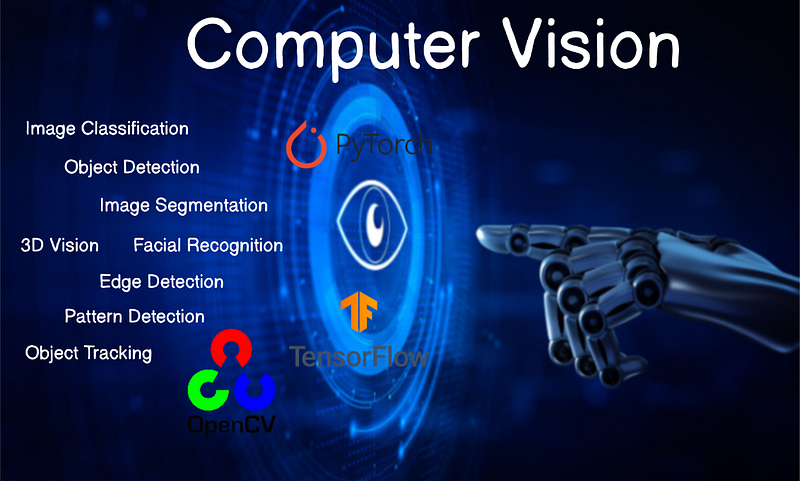
Think of it as giving computers eyes — and a brain to process what those eyes see. We’re talking about everything from facial recognition unlocking your phone to self-driving cars avoiding pedestrians to medical AI detecting diseases in X-rays.
The cool part? The technology has gotten so accessible that you can build genuinely useful applications with just a laptop and some free tools. No fancy hardware required (though it helps, not gonna lie).
Why 2026 Is Your Year to Start
Here’s the deal: computer vision used to require serious math chops and expensive equipment. Now? The barrier to entry is ridiculously low.
Pre-trained models have changed everything. Instead of training a neural network from scratch (which could take weeks and cost thousands in computing power), you can grab a model that’s already learned to recognize thousands of objects and fine-tune it for your specific needs in hours.
The libraries and frameworks available today are chef’s kiss :) TensorFlow, PyTorch, OpenCV — they’re all mature, well-documented, and have communities that’ll help you when you inevitably get stuck at 2 AM wondering why your code thinks every image is a banana.
Plus, the applications are everywhere. Companies desperately need people who understand this stuff. Ever wondered why job postings for computer vision engineers are multiplying like rabbits?
The Essential Skills You Actually Need
Let’s cut through the noise. Here’s what you need to know, ranked by importance:
Programming (Python, Specifically)
Python is your best friend here. Almost every computer vision library plays nicely with Python, and the syntax is straightforward enough that you won’t spend half your time debugging semicolons.
You don’t need to be a Python wizard, but you should be comfortable with:
Basic syntax and data structures (lists, dictionaries, loops)
Functions and object-oriented programming basics
Installing and importing libraries (sounds simple, but you’d be surprised)
Math (But Not As Much As You Think)
Real talk: you need some math, but the internet loves to exaggerate how much. For getting started, focus on:
Linear algebra basics (matrices, vectors, transformations)
Basic statistics (mean, standard deviation, probability)
Calculus fundamentals (derivatives and gradients, mainly for understanding how models learn)
IMO, you can learn these as you go. Don’t let the math intimidate you into never starting — that’s like never cooking because you haven’t mastered molecular gastronomy.
Understanding of Machine Learning Concepts
You need to grasp how neural networks work at a high level. You don’t need to derive backpropagation from scratch (thank goodness), but understanding concepts like:
Training vs. testing data
Overfitting and underfitting
Loss functions and optimization
Convolutional neural networks (CNNs) — the backbone of most CV tasks
These concepts matter because they’ll help you troubleshoot when things inevitably go sideways.
Your Computer Vision Toolkit for 2026
Let me break down the tools you’ll actually use, not just the ones that look good on a resume.
OpenCV: Your Swiss Army Knife
OpenCV (Open Source Computer Vision Library) is where most people start, and for good reason. It handles image processing tasks like a champ — resizing, filtering, edge detection, color space conversions, you name it.
I use OpenCV for pretty much all the preprocessing work. Need to convert an image to grayscale? OpenCV. Want to detect edges? OpenCV. It’s fast, well-documented, and has bindings for Python that are dead simple to use.
Deep Learning Frameworks: Pick Your Poison
You’ve got two main players here:
TensorFlow/Keras: Google’s framework, super popular, great for production. Keras (which runs on top of TensorFlow) makes building neural networks almost suspiciously easy. Great documentation, huge community, loads of tutorials.
PyTorch: Facebook’s baby, loved by researchers and increasingly by everyone else. The syntax feels more “Pythonic,” and debugging is generally easier. The dynamic computation graphs are clutch when you’re experimenting.
FYI, I started with TensorFlow and switched to PyTorch. Both are excellent — just pick one and stick with it long enough to actually learn it.
Pre-Trained Models: Standing on Giants’ Shoulders
This is where modern computer vision gets really fun. Models like:
YOLO (You Only Look Once) for real-time object detection
ResNet for image classification
U-Net for image segmentation
CLIP for connecting images and text
These models have already learned from millions of images. You can download them, freeze most layers, and just train the final layers on your specific problem. It’s called transfer learning, and it’s basically cheating in the best possible way.
Your First Projects: Start Simple, Scale Up
Alright, theory is great, but you learn by doing. Here’s a roadmap of projects that’ll actually teach you something:
Project 1: Image Classification
Build a classifier that distinguishes between categories — cats vs. dogs is cliché but perfect for learning. Use a pre-trained model, load your dataset, fine-tune it, and boom — you’ve got your first working computer vision system.
You’ll learn data loading, model training, evaluation metrics, and the joy of watching accuracy improve over epochs.
Project 2: Face Detection
Use OpenCV’s pre-built face detection models (Haar Cascades or DNN-based models) to detect faces in images or video streams. This one’s satisfying because you see immediate, visual results.
Plus, you can annoy your friends by putting virtual sunglasses on their faces in real-time. What’s not to love?
Project 3: Object Detection
Step it up with YOLO or Faster R-CNN to detect multiple objects in an image with bounding boxes. This is where things get practical — think retail inventory management or counting cars in traffic.
Project 4: Custom Dataset Project
Here’s where you get creative. Build something YOU actually want. Maybe you want to:
Detect defects in manufactured parts
Count how many people are in your gym before you go
Identify plants or birds
Recognize sign language gestures
Whatever floats your boat. The point is solving a real problem you care about, not just following another tutorial.
Common Mistakes (That I Definitely Didn’t Make… Multiple Times)
Let me save you some pain:
Not preprocessing your data properly: Garbage in, garbage out. Resize images consistently, normalize pixel values, augment your training data. Your model is only as good as the data you feed it.
Ignoring data imbalance: If you train a model on 1,000 cat images and 10 dog images, it’ll just predict “cat” for everything and still get 99% accuracy. Balance matters.
Overfitting on small datasets: Your model memorizes the training data instead of learning general patterns. Use techniques like dropout, data augmentation, and validation sets.
Choosing overly complex architectures: You probably don’t need a 100-layer network for your first project. Start simple, add complexity only when you need it.
Resources Worth Your Time
Skip the $500 courses. Here’s what actually helped me:
Fast.ai’s Practical Deep Learning for Coders: Free, practical, focused on getting stuff working
PyImageSearch: Adrian Rosebrock’s tutorials are gold for OpenCV and practical projects
Papers with Code: See state-of-the-art models with implementation code
YouTube channels: Two Minute Papers, Yannic Kilcher for understanding recent developments
Kaggle competitions: Nothing teaches like competition and seeing how others approach problems
The Reality Check
Computer vision is frustrating sometimes. Your model will inexplicably perform worse after you “improve” it. You’ll spend hours debugging only to find you forgot to normalize your images. Training runs will crash at 99% completion :/
But it’s also incredibly rewarding. The moment your model correctly identifies something in the wild — not just in your test set, but in a real image you just took — feels like magic.
Where Do You Go From Here?
Start building. Seriously, close this article and write your first “Hello World” in OpenCV. Load an image, convert it to grayscale, display it. That’s your first step.
Then tackle a small classification problem. Then try detection. Then build something weird and personal that nobody’s thought of yet.
The field moves fast — what’s cutting-edge today will be old news in six months. But the fundamentals stick around. Learn the basics thoroughly, stay curious, and don’t be afraid to break things.
Computer vision in 2026 is accessible, powerful, and full of unsolved problems waiting for fresh perspectives. You don’t need permission to start, you don’t need perfect conditions, and you definitely don’t need to understand everything before you begin.
You just need to start. So what are you waiting for?
Comments
Post a Comment