How MCP Actually Works (The Technical Stuff)
Okay, let’s talk about what happens under the hood. Don’t worry — I’ll keep this practical.
The Connection Flow
When your AI agent needs to use an MCP server, here’s what happens:
- Initialization: The client connects to the server and they exchange capability information. Think of it as a handshake where they figure out what each other can do.
- Discovery: The client asks the server what tools, resources, and prompts it provides. The server responds with a structured list of capabilities.
- Tool Execution: When the agent wants to do something, it sends a request through the client to the server. The server executes the requested action and returns results.
- Resource Access: If the agent needs data, it requests specific resources. The server handles fetching that data and returns it in a standardized format.
Ever wondered why some AI integrations feel clunky? It’s usually because there’s no standardized discovery mechanism. The agent just has to “know” what’s available, often through hardcoded configurations.
Resources, Tools, and Prompts
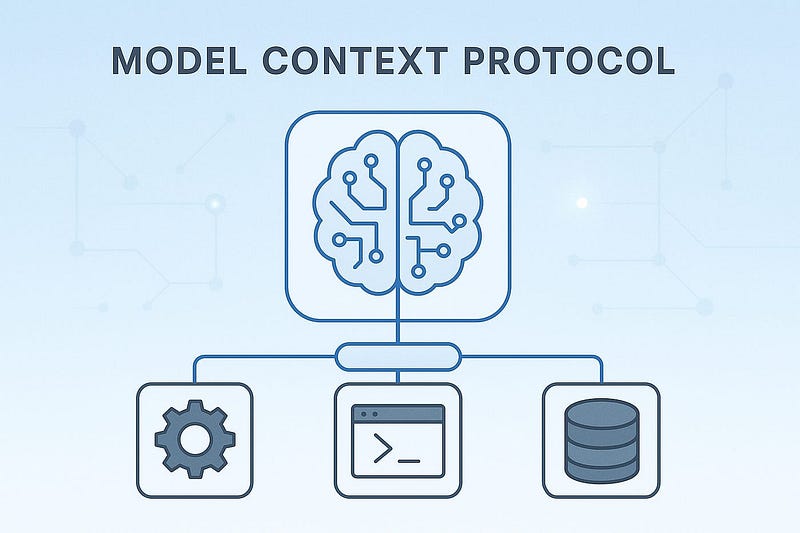
MCP defines three types of capabilities that servers can expose:
Resources are data that agents can read. Could be files, database records, API responses — anything that provides information. Resources have URIs and can be retrieved on-demand.
Tools are actions agents can perform. Creating calendar events, sending emails, running database queries — these are all tools. Each tool has a defined schema for its inputs and outputs.
Prompts are reusable templates that help agents interact more effectively with specific servers. They’re like pre-built conversation starters optimized for particular tasks.
The brilliant part? Servers describe all of this in a machine-readable format, so agents can dynamically discover and use capabilities without hardcoded integrations.
Building Your First MCP Server
Alright, enough theory. Let’s talk about actually building something.
Choosing What to Build
Start simple. Don’t try to build a server that connects to every service in your tech stack. Pick one data source or tool that your agent needs and build a focused MCP server for it.
Good starter projects:
- A weather API server that provides current conditions and forecasts
- A note-taking server that reads and writes to a local folder
- A task management server that interfaces with your to-do app
- A document search server that queries your knowledge base
The Development Process
Here’s the basic structure for an MCP server:
- Define your resources and tools — What data can agents access? What actions can they perform?
- Implement the handlers — Write the code that actually fetches data or executes actions when requested.
- Add authentication — Don’t skip this. Even in development, implement proper auth patterns.
- Test thoroughly — MCP servers need to handle errors gracefully because agents will definitely send weird requests.
- Document everything — Future you (and other developers) will thank you for clear documentation about what each tool does.
Using the TypeScript or Python SDK makes this way easier than starting from scratch. The SDKs handle all the protocol-level stuff, so you just focus on business logic.
Common Pitfalls to Avoid
Not handling rate limits: If your server connects to APIs with rate limits, you need to handle that gracefully. Don’t just let requests fail — implement queuing or backoff strategies.
Exposing too much: Just because you can give an agent access to something doesn’t mean you should. Be thoughtful about permissions.
Ignoring error cases: Agents will request things that don’t exist, pass invalid parameters, and generally do unexpected stuff. Handle errors properly and return useful messages.
Skipping validation: Always validate inputs before executing actions. You don’t want an agent accidentally deleting things because you didn’t check parameters.
Security Considerations (Don’t Skip This Part)
Let’s talk about the elephant in the room: giving AI agents access to real systems is risky. MCP helps, but you still need to think about security.
Authentication and Authorization
MCP supports various authentication mechanisms:
- API keys for simple scenarios
- OAuth for user-delegated access
- Custom authentication for internal systems
The key is to implement least privilege access. Only give agents the minimum permissions they need to do their job. If an agent only needs to read data, don’t give it write access “just in case.”
Audit Logging
Log every action agents take through your MCP servers. Seriously. When something goes wrong (and something will go wrong), you need to know exactly what happened.
Track:
- What action was requested
- Which agent made the request
- What data was accessed or modified
- Whether the action succeeded or failed
- Any errors that occurred
Sandboxing and Isolation
Consider running MCP servers in isolated environments, especially for sensitive data sources. Containerization works great for this — each server gets its own container with specific resource limits and network restrictions.
FYI, this also helps with debugging because you can easily replicate production environments locally.
Integrating MCP into Your AI Workflow
You’ve built an MCP server — great! Now what?
Connecting Servers to Hosts
Most MCP hosts use a configuration file to specify which servers to load. For Claude Desktop, you edit a JSON config file. For custom applications, you’ll use the MCP client SDK to programmatically connect to servers.
The configuration typically includes:
- Server command or connection details
- Any required environment variables
- Initialization parameters
Making Agents Aware of Tools
Here’s something cool: agents automatically discover what tools are available through MCP. You don’t need to explicitly tell the agent about every capability — it can query servers and learn what’s possible.
This dynamic discovery means you can add new MCP servers without modifying agent code. The agent will automatically see new capabilities and can start using them.
Optimizing Performance
MCP connections can introduce latency, especially if servers need to call external APIs. Some optimization strategies:
- Cache frequently accessed resources at the server level
- Batch requests when possible to reduce round trips
- Use connection pooling for database servers
- Implement request timeouts to prevent hanging operations
Real-World Use Cases
Let me give you some concrete examples of what you can build with MCP:
Development Agent: Connect to GitHub, Jira, and your CI/CD pipeline. The agent can review pull requests, create issues, and trigger builds — all through standardized MCP servers.
Customer Support Agent: Integrate with your CRM, knowledge base, and support ticket system. Agents can look up customer history, find relevant documentation, and create tickets without custom integration code.
Research Assistant: Connect to academic databases, internal documents, and web search APIs. The agent can gather information from multiple sources and synthesize findings.
Data Analysis Agent: Access databases, data warehouses, and visualization tools. The agent can query data, generate reports, and create visualizations on demand.
The pattern is the same: identify the tools and data sources you need, build or find MCP servers for them, and let agents access everything through a unified protocol.
The Future of MCP
MCP is still relatively new, but it’s gaining serious traction. The open-source community is building servers for popular services, and major companies are starting to adopt it for internal agent development.
What’s coming next:
- More pre-built servers for common services (less work for you!)
- Enhanced discovery mechanisms for finding and connecting to MCP servers
- Better monitoring and observability tools
- Performance optimizations in the protocol itself
The best part? Because it’s open source, you can contribute to shaping where MCP goes. Found a bug? Submit a PR. Need a feature? Open an issue.
Getting Started Today
Stop overthinking this and just start building. Here’s your action plan:
- Read the MCP specification — It’s actually pretty readable, I promise
- Install an MCP SDK — Pick Python or TypeScript based on your preference
- Build a simple server — Start with something trivial, like exposing a JSON file as a resource
- Connect it to an MCP host — Claude Desktop works great for testing
- Iterate and expand — Add more capabilities as you understand the patterns
The learning curve isn’t as steep as you might think. If you’ve built APIs before, you’ll pick up MCP quickly.
Wrapping Up
MCP fundamentally changes how we build AI agents by solving the integration nightmare that’s been holding back practical agent deployment. It’s not just another protocol that’ll disappear in six months — it’s backed by Anthropic, open source, and solving a real problem.
Whether you’re building agents for your company, developing AI products, or just experimenting with what’s possible, understanding MCP gives you a serious advantage. You’ll build faster, maintain less code, and create more capable agents.
The AI agent revolution is happening right now. MCP is your toolkit for being part of it instead of just watching from the sidelines. :)
Comments
Post a Comment