Here’s something that’ll blow your mind: the way fintech companies decide whether to lend you money is getting a serious upgrade. And I’m not talking about minor tweaks to old formulas — I’m talking about reinforcement learning algorithms that literally learn from every lending decision they make.
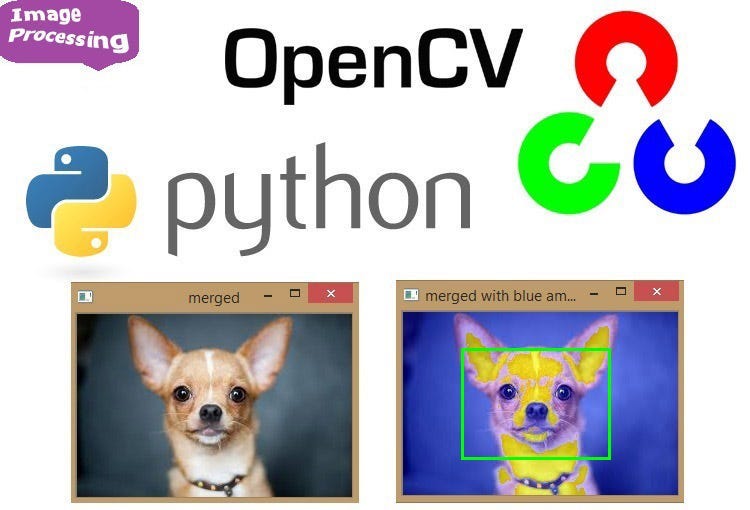
OpenCV Python for ML: Image Processing and Computer Vision Basics
on
Get link
Facebook
X
Pinterest
Email
Other Apps
You just got your first computer vision project. The dataset is raw images straight from cameras — different sizes, weird lighting, random rotations, and about a thousand edge cases. Your fancy neural network? It’s useless until you preprocess these images properly. Welcome to the reality of computer vision: 80% of your time is spent getting images into a format your model can actually use.
I spent my first month in computer vision thinking deep learning would solve everything. Then I realized my model was failing because I didn’t know how to resize images without distorting them, couldn’t handle images with weird aspect ratios, and had no idea why some images were BGR instead of RGB. OpenCV became my lifeline — the unglamorous but absolutely essential toolkit that makes computer vision actually work.
Let me show you the OpenCV fundamentals that actually matter for machine learning projects.
OpenCV Python for ML
What Is OpenCV and Why It’s Essential for ML
OpenCV (Open Source Computer Vision Library) is the Swiss Army knife of image processing. It’s been around since 2000, has been battle-tested on millions of projects, and handles all the tedious image manipulation that sits between raw data and your neural network.
What OpenCV does for ML:
Image loading and saving (handles every format imaginable)
Resizing and geometric transformations
Color space conversions (RGB, BGR, HSV, grayscale, etc.)
Image filtering and enhancement
Feature detection and description
Real-time video processing
Camera calibration
All the preprocessing your model needs
You could implement this stuff yourself. Or you could use the optimized C++ library with Python bindings that’s been refined for two decades. Easy choice.
Installation and Setup (The Easy Part)
Getting OpenCV running is straightforward:
bash
pip install opencv-python
For extra features (video codecs, GUI support):
bash
pip install opencv-contrib-python
Import it in your code:
python
import cv2
import numpy as np
That’s it. You’re ready to process images. Way easier than the old days when you had to compile from source.
Loading and Displaying Images (Not as Obvious as You’d Think)
Let’s start with the basics that trip up everyone:
Loading an Image
python
# Load image
img = cv2.imread('image.jpg')
# Check if image loaded successfully
if img is None:
    print("Error: Could not load image")
else:
    print(f"Image shape: {img.shape}")  # (height, width, channels)
Critical detail: OpenCV loads images as BGR (Blue, Green, Red), not RGB. This will bite you constantly if you forget it.
# Flip both directions
img_flipped_both = cv2.flip(img, -1)
Simple but essential for data augmentation.
Color Space Conversions
Different color spaces are useful for different tasks:
Common Conversions
python
# BGR to RGB (most common for ML compatibility)
img_rgb = cv2.cvtColor(img, cv2.COLOR_BGR2RGB)
# BGR to Grayscale
img_gray = cv2.cvtColor(img, cv2.COLOR_BGR2GRAY)
# BGR to HSV (useful for color-based segmentation)
img_hsv = cv2.cvtColor(img, cv2.COLOR_BGR2HSV)
# BGR to Lab (perceptually uniform color space)
img_lab = cv2.cvtColor(img, cv2.COLOR_BGR2LAB)
Why Different Color Spaces Matter
RGB/BGR: Standard for display and most ML models Grayscale: Reduces dimensions, faster processing, sufficient for many tasks HSV: Separates color (hue) from brightness (value), great for color segmentation Lab: Perceptually uniform, good for color distance calculations
Ever wonder why color detection works better in HSV? Because color (hue) is isolated from lighting variations (value). That’s the power of choosing the right color space.
Practical Example: Color-Based Object Detection
python
# Convert to HSV
img_hsv = cv2.cvtColor(img, cv2.COLOR_BGR2HSV)
# Define color range (e.g., red objects)
lower_red = np.array([0, 100, 100])
upper_red = np.array([10, 255, 255])
Adaptive thresholding is way better for real-world images with uneven lighting. IMO, you should default to adaptive unless you have controlled lighting.
# Get bounding rectangles
for contour in contours:
    x, y, w, h = cv2.boundingRect(contour)
    cv2.rectangle(img_contours, (x, y), (x+w, y+h), (255, 0, 0), 2)
Filtering Contours
python
# Filter by area
min_area = 100
filtered_contours = [c for c in contours if cv2.contourArea(c) > min_area]
# Filter by aspect ratio
for contour in contours:
    x, y, w, h = cv2.boundingRect(contour)
    aspect_ratio = w / h
    if 0.9 < aspect_ratio < 1.1:  # Nearly square objects
        cv2.rectangle(img, (x, y), (x+w, y+h), (0, 255, 0), 2)
Contour filtering removes false detections based on shape characteristics.
Practical ML Preprocessing Pipeline
Here’s a complete preprocessing pipeline for image classification:
python
defpreprocess_image(img_path, target_size=(224, 224)): """ Complete preprocessing pipeline for ML model input """ # Load image img = cv2.imread(img_path) if img isNone: raise ValueError(f"Could not load image: {img_path}")
# Convert BGR to RGB img = cv2.cvtColor(img, cv2.COLOR_BGR2RGB)
# Resize with aspect ratio preservation h, w = img.shape[:2] target_w, target_h = target_size
# Right - work on copy
img_copy = img.copy()
cv2.rectangle(img_copy, (x, y), (x+w, y+h), (0, 255, 0), 2)
Many OpenCV functions modify images in-place. Copy first if you need the original. FYI, this has destroyed my preprocessing pipelines more than once.
The Bottom Line for ML Practitioners
Deep learning gets the glory, but OpenCV does the grunt work. Your fancy transformer model is useless if you can’t properly load, resize, and preprocess images. Master these OpenCV basics and you’ll spend less time debugging preprocessing pipelines and more time improving models.
Focus on these core skills:
Loading and displaying images correctly
Resizing without distortion
BGR/RGB conversion (forever critical)
Basic filtering and enhancement
Color space conversions for different tasks
Installation is simple:
bash
pip install opencv-python numpy
Start with one preprocessing pipeline. Build it properly with OpenCV. You’ll use these skills in every computer vision project you ever work on.
The goal isn’t mastering every OpenCV function (there are hundreds). It’s mastering the 20% of functions you’ll use 80% of the time. Get these fundamentals solid, and the rest becomes easy. Now go process some images and build something that actually works — not just in theory, but with real messy data from real cameras. :)
Comments
Post a Comment